
Automotive scheduling software
for garages & detailing
Clients book a service 24/7, service reminders bring cars back on time, and you see the load on every bay and mechanic.
Free forever plan · No setup fees · Cancel anytime
Built for auto services
Auto service scheduling software with a garage brain
Bays, mechanics, vehicle history, POS - the parts booking tools skip.
Load per bay
Bays and mechanics in separate calendars - see free capacity, no double-booking.
Vehicle card
Plate, VIN and mileage at every visit, next service planned by date or mileage - and a reminder to the client by Telegram or email for free.
Service booking
Oil change, tyres, detailing - the client picks the service and a free slot online.
Fewer cancellations
Automatic reminders + AI no-show prediction keep the schedule tight.
POS & checkout
Work and parts on one bill, split payment, discounts, receipt to the client by Telegram or email - straight into revenue.
Revenue per mechanic
See each mechanic's contribution and calculate commissions automatically.
Bays are the real capacity, so we schedule bays
A garage does not overbook because mechanics are lazy; it overbooks because the calendar counts people instead of bays. Alignext models bays and lifts as resources: a booking takes a service, a mechanic and a bay at the same time, and a slot only shows as free when all three are actually free. Double-booked lifts stop happening by construction.
You see load per bay and per mechanic in separate calendars, which turns "can we take one more oil change today" from a guess into a glance. Try the booking flow in the demo.
The car remembers, even when the owner does not
Every client car has its own card: plate (Cyrillic and Latin spellings are one car), VIN, mileage at every visit and the work history. The client types the plate right in the booking form, and next time the context is already on screen.
That card sells the next visit: the service plan by date or mileage becomes a reminder by Telegram or email for free, and seasonal tyre changes become a campaign over Telegram for free (email campaigns from Starter). The client gets a useful nudge rather than an ad.
Work, parts and commissions on one bill
The POS puts labour and parts on one receipt with discounts where you allow them, and the revenue lands in your numbers immediately. No separate spreadsheet for the till.
Because every job is tied to a mechanic, revenue per mechanic and automatic commission are built in. End-of-month payouts take minutes, and the argument about who did the big brake job is settled by the record.
Works for every service business
Get started in minutes
How it works
Create your profile
Add your services, staff, and working hours in minutes.
Share your link
Post your booking page on Instagram, Google Maps, or your website.
Accept bookings 24/7
Clients book themselves. You get notified. Everyone wins.
iPhone app
Your business, in your pocket
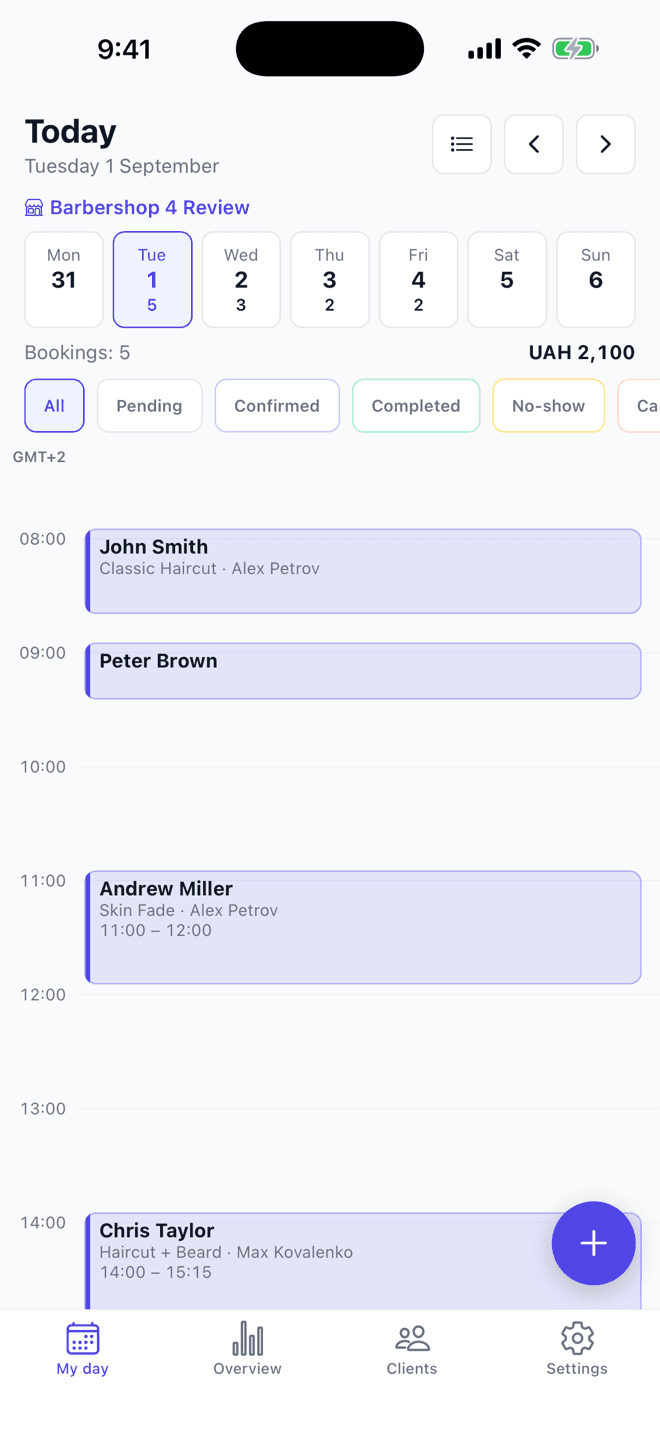
Your day, bookings, the till and client cards - from your phone. A new online booking arrives as a push the moment it lands, wherever you are. For the owner and for staff alike.
- Your day
- Bookings
- Till
- Clients
- Push on every new booking

Free on every plan · sign in with your existing Alignext account
Simple, honest pricing
Pay only for active staff. No booking commissions. Cancel anytime.
- Up to 100 bookings/month
- 1 staff member
- 1 branch / location
- Online booking page
- Booking page optimized for Google
- Telegram & email reminders - free
- Automatic rebooking reminders
- Telegram campaigns - free
- Google Calendar sync (two-way)
- Basic CRM
- Unlimited bookings
- Up to 5 staff included, each extra one billed monthly
- 1 branch / location
- Branded website + custom domain
- Email campaigns to your client base
- SMS reminders and campaigns on credit packs - for businesses in Ukraine
- Fiscal register: Checkbox integration - for businesses in Ukraine
- Deposits and no-show protection through your own monobank acquiring - for businesses in Ukraine
- Automatic review request after the visit
- Analytics: revenue, top services, returning clients
- Birthday and lapsed-client automations
- Every location in one window - reports, till, clients
- Multiple branches / locations
- Up to 15 staff included, each extra one billed monthly
- Site without Alignext branding
- AI business insights
- AI campaign copywriter
- API access
- Unlimited staff
- Advanced analyticsSoon
- White-labelSoon
- AI revenue optimizationSoon
- Custom automationsSoon
- SLA supportSoon
Start free in any supported country today. Paid plans are rolling out region by region - you'll see them in your dashboard the moment they open in yours.
FAQ
Frequently asked questions
Does it fit garages and detailing studios?+
Yes - clients book a specific service (maintenance, tyres, detailing) and time; you manage the load on mechanics and bays.
How much does it cost?+
There is a free plan. Paid plans charge per active mechanic only - no commissions on bookings.
Is vehicle service history stored?+
Yes - switch on client vehicles and every car gets its own card: plate, VIN, mileage at each visit, work history and the next service plan. The same plate in Cyrillic or Latin is one car, not two.
How do I move from spreadsheets?+
Import clients, services and staff from CSV - the move takes about 30 minutes; from Altegio, YClients or Booksy the upcoming bookings come across too.
Can clients enter their car details at booking?+
Yes - the client enters the plate right in the booking form; VIN and mileage are asked if you choose. The answers land in the vehicle card, not in a note.
Does it remind clients about the next service?+
Yes - set the next service by date or mileage ("+10,000 km" is pre-filled from the service) and the client gets a reminder by Telegram or email for free.
Can the front desk approve bookings before they are confirmed?+
Yes. Turn on booking approval and every online request waits for your confirmation before the client gets the green light.
We have two locations. Is that supported?+
Yes - from Growth each location runs its own calendar, bays and booking page under one account, with analytics per location and combined.
Can I export my data?+
Yes. Clients and bookings export to CSV at any time. Your data stays yours.
Start accepting bookings today
Free plan forever. Upgrade when you’re ready to grow.
Solutions for your industry